Mon-Thu 8am - 7pm
Fri 8am - 6pm EST
For orders of $25
and more.
0 item, $0.00
Home
|
Custom Asset Tags
|
Metal Asset Tags
|
Asset Labels - In-Stock
|
Economy Asset Labels
|
Tamper-Evident Asset Tags
Please mention
when you call.
Telephone
:
(888) 343-3729
or
(718) 889 3700
Availability
:
Mon-Thu 8am - 7pm, Fri 8am - 6pm EST
Outside these hours, please email.
Email
:
Write to us
.
Top 10 Tips on Asset Tags / Property ID Tags
Color Code Your Asset Tags, Asset Labels and Property ID
«
Prev. Tip
Next Tip
»
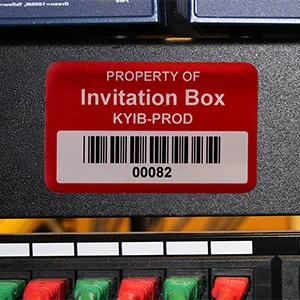
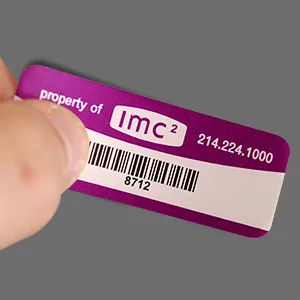
Color-code your assets by type, by department or, even, by year of acquisition. For example, the asset tags used for the Computer equipment are red, the asset tags for furniture and fixtures are green, the asset tags for maintenance items are blue, etc. In another example, one of our school customers used red asset tags for those items purchased in the previous school budget, yet green asset tags for equipment purchased in the current budget cycle.
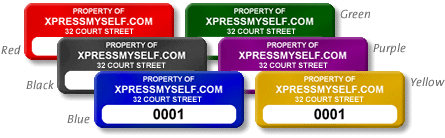
Black is the most common color for asset tags. Plus, black asset tags are the most durable outdoors. Red asset labels are the next most popular in that they can be spotted easily against most equipment.
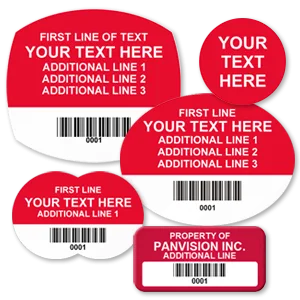
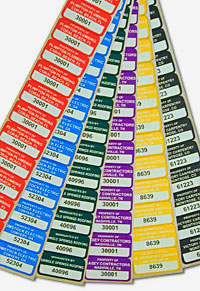
Although the range of typical colors for asset labels are shown in this photo, you may also request a different, custom color. Each order, however, must use the same color. For each new color desired, you must enter a separate order and add it to your cart.
Jump to Tip #:
1. Determine Which Assets to Label
2. Proper Size for Your Asset Tag
3. Asset Tag Headlines
4. Color Coded Asset Tags
5. Sequentially Numbered Asset Tags
6. Barcodes on Asset Tags
7. Logos on Asset Tags
8. Asset Tag Materials
9. Use the Right Asset Tag Adhesive
10. Place Your Asset Tags Properly
«
Prev. Tip
Next Tip
»
Custom colors are also available.
Policies
FAQs
Material Specs
About Us
Testimonials
Contact Us
Disclaimer
Site Map
Products
© 2012, MyAssetTag.com
Order online 24 hours a day
using secure Google and
PayPal checkout. Pay by:
This site is tested daily and
certified Hacker-Safe site by: